Slow performance
Product images and configuration changes took too long to load, interrupting the selection process.
The existing configurator used a rigid step-by-step flow and made complex product dependencies difficult to understand. I redesigned its structure and interaction model so users could configure bathroom furniture in a flexible order, explore compatible options, and receive immediate visual feedback and automatic price updates.
The previous configurator functioned more like another way to browse the existing catalogue than a tool for creating custom furniture. Slow loading, limited product visualization and a rigid set of options made the experience difficult to use and restricted users to mostly predefined combinations. The goal was to create a more flexible tool that would allow customers to assemble furniture around their space, preferences and technical requirements.
Product images and configuration changes took too long to load, interrupting the selection process.
The structure largely repeated the existing catalogue and did not provide a distinct experience for creating custom furniture.
Images did not always clearly communicate how selected components, materials and dimensions affected the final product.
The configurator offered a limited set of predefined combinations instead of supporting flexible product assembly.
To rethink the interaction approach, I analyzed not only existing solutions in the furniture industry, but also configurators from other fields. It was important to understand how different products handle selection and visualization, and how they guide users through the customization process.
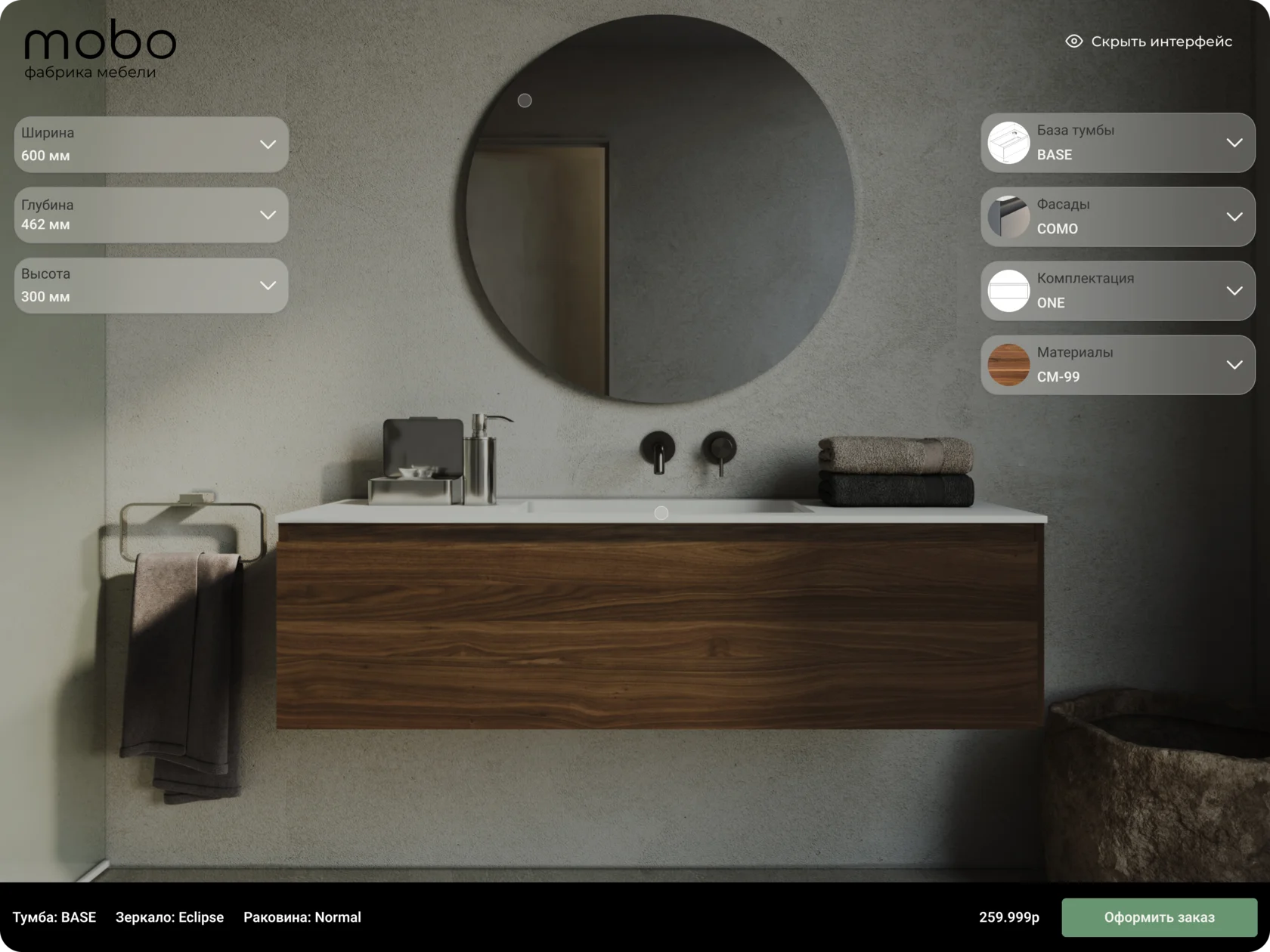
Real-time 3D was considered but rejected due to its technical and operational cost. Client-side rendering would require users’ computers to load and process complex models and materials, resulting in inconsistent performance. Server-side rendering would require additional GPU infrastructure, introduce latency and increase the cost of supporting concurrent sessions. Instead, the configurator uses pre-rendered product states that provide predictable performance and realistic material visualization.
I organized the configurator controls into two groups: product dimensions and configurable components. This separation helps users understand which parameters define the product structure and which options affect its appearance and equipment.
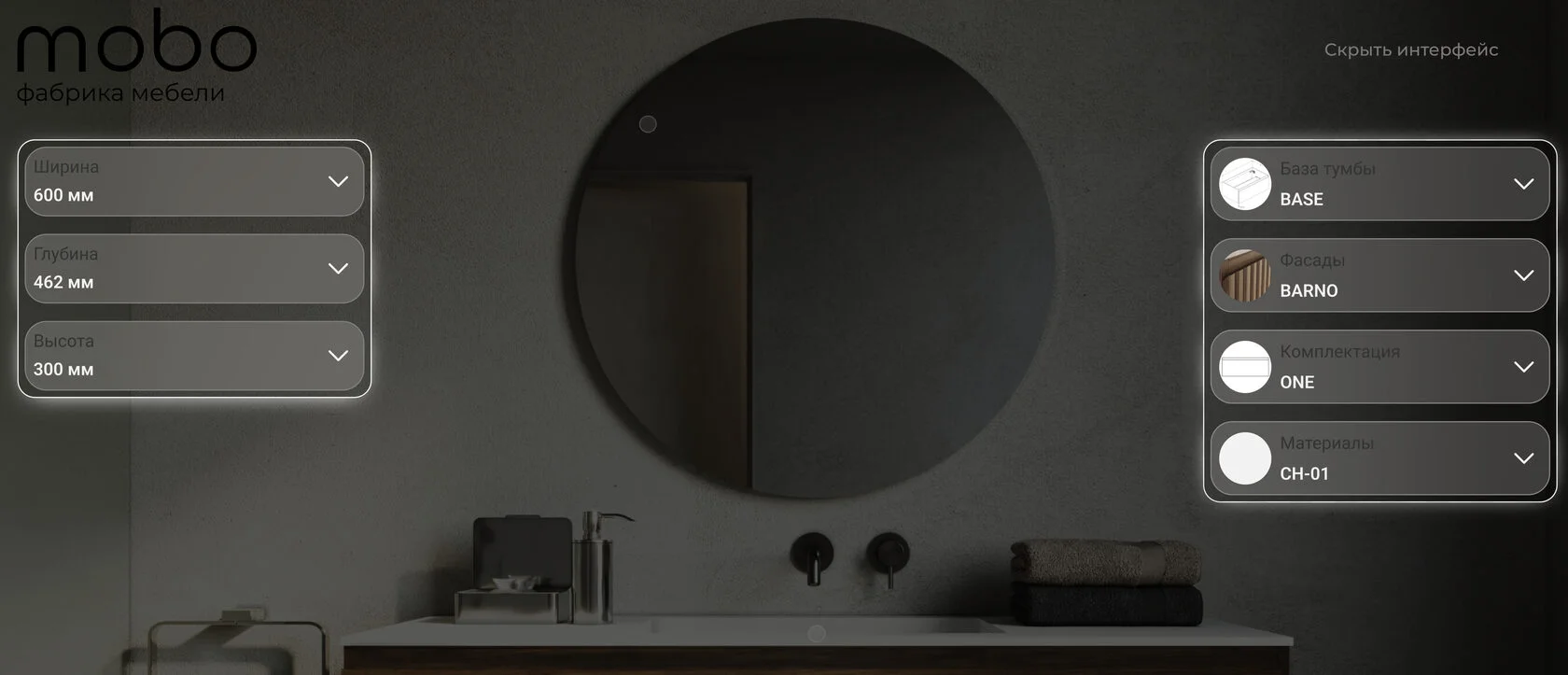
Dimensions are grouped on the left, while configurable components — cabinet base, facades, configuration and materials — are placed on the right. Each module can be opened and edited independently, allowing users to move between settings without following a fixed step-by-step sequence. The controls can also be hidden to inspect the finished product without distractions.
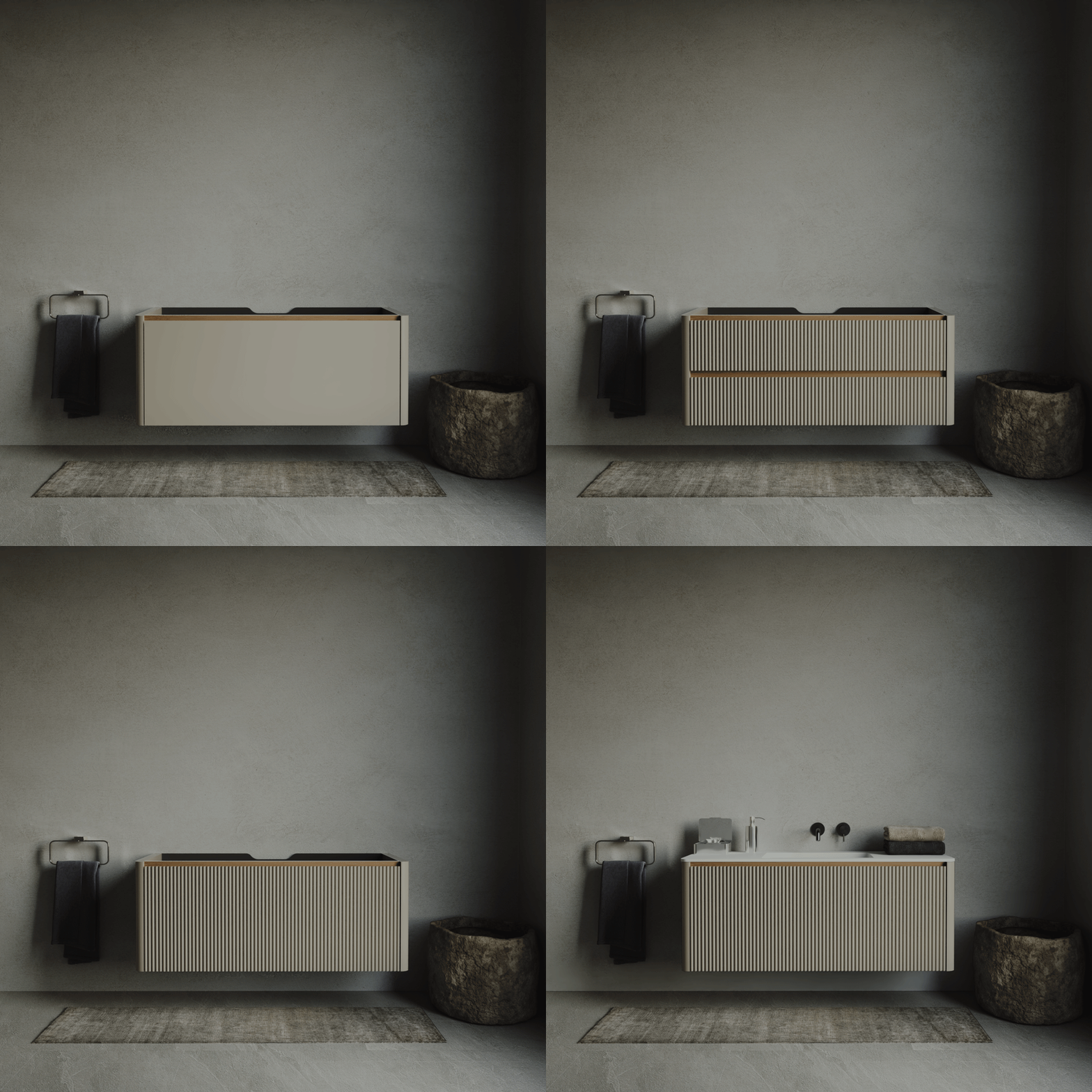
The cabinet is assembled through a sequence of pre-rendered images. This approach makes each stage of the configuration visible while avoiding the technical complexity of real-time 3D rendering.
The final interface brings the complete configuration process into one workspace. Product dimensions and components remain accessible around the visualization, while the order summary, total price and primary action stay visible throughout the process.